


Inquiries and Submissions
What happens when a couple sends your inquiry form, how Folia lets you know, and how to review the submissions it holds back.
Every time a couple sends your inquiry form, Folia keeps a copy, called a submission. Almost all of them become new contacts right away. The few that look like spam wait for you to decide.
What happens when a couple sends your form
- The couple sees your thank-you message, or goes to your thank-you page if you added one in the form's Settings.
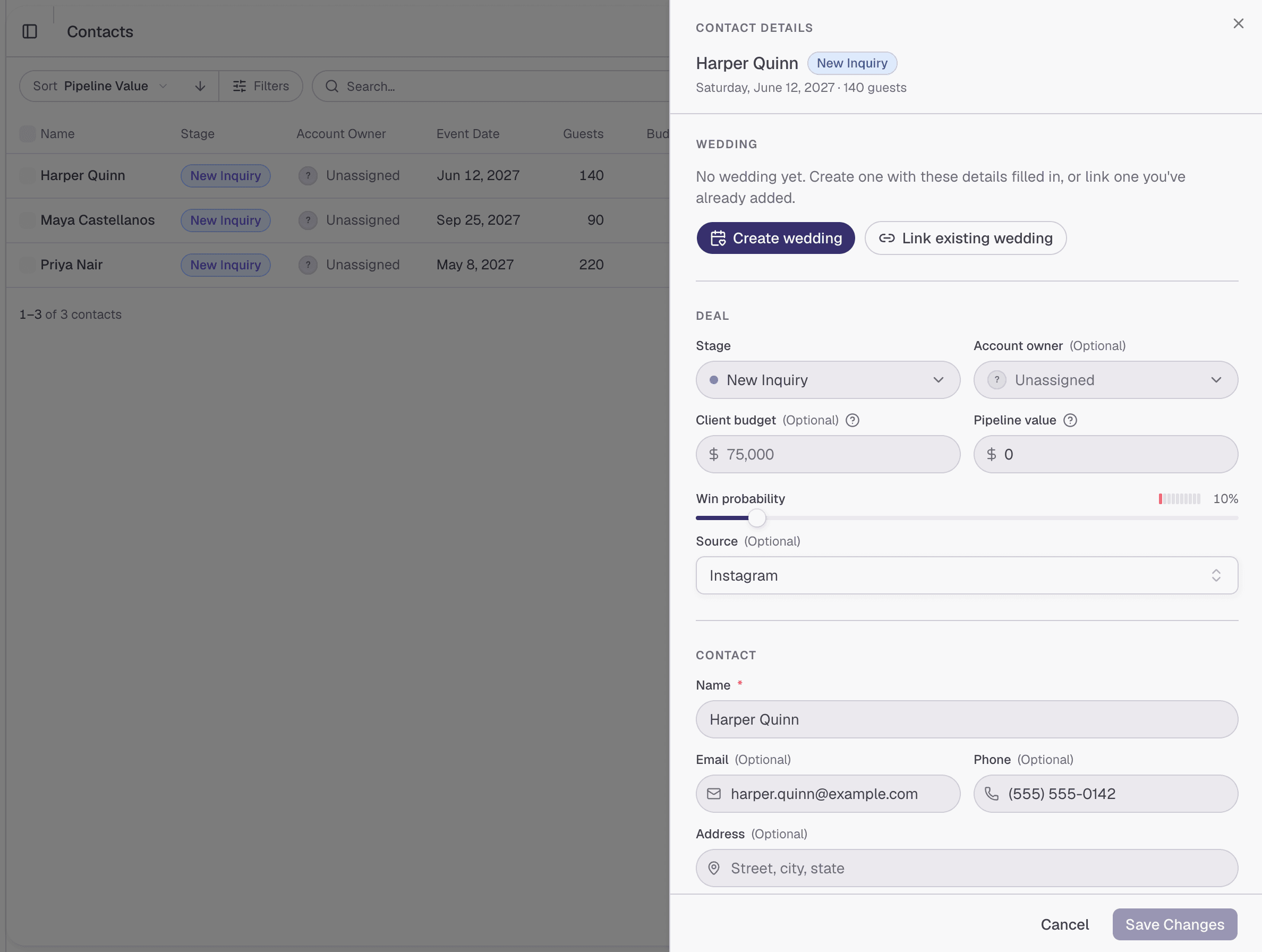
- Folia adds them to Contacts as a new contact, in the stage you chose in Settings. Each answer is already filled in on the contact, in the detail its question saves to.
- Folia lets your team know, by email and with a notification in Folia.
How Folia lets you know
Your firm's owners get an email and a notification in Folia for every inquiry. The email shows the couple's wedding date, guest count, and location, if the form asked for them.
- A new inquiry arrives with the subject "New inquiry from" and the couple's name. Click View inquiry to open the new contact.
- An inquiry held for review arrives with the subject "Review an inquiry from" and the couple's name. Click Review inquiry to go straight to it. See Submissions held for review.
To turn these off, or to get them if you're on the team but not an owner, go to Settings → Notifications and use the switches under Inquiries.
The Submissions tab
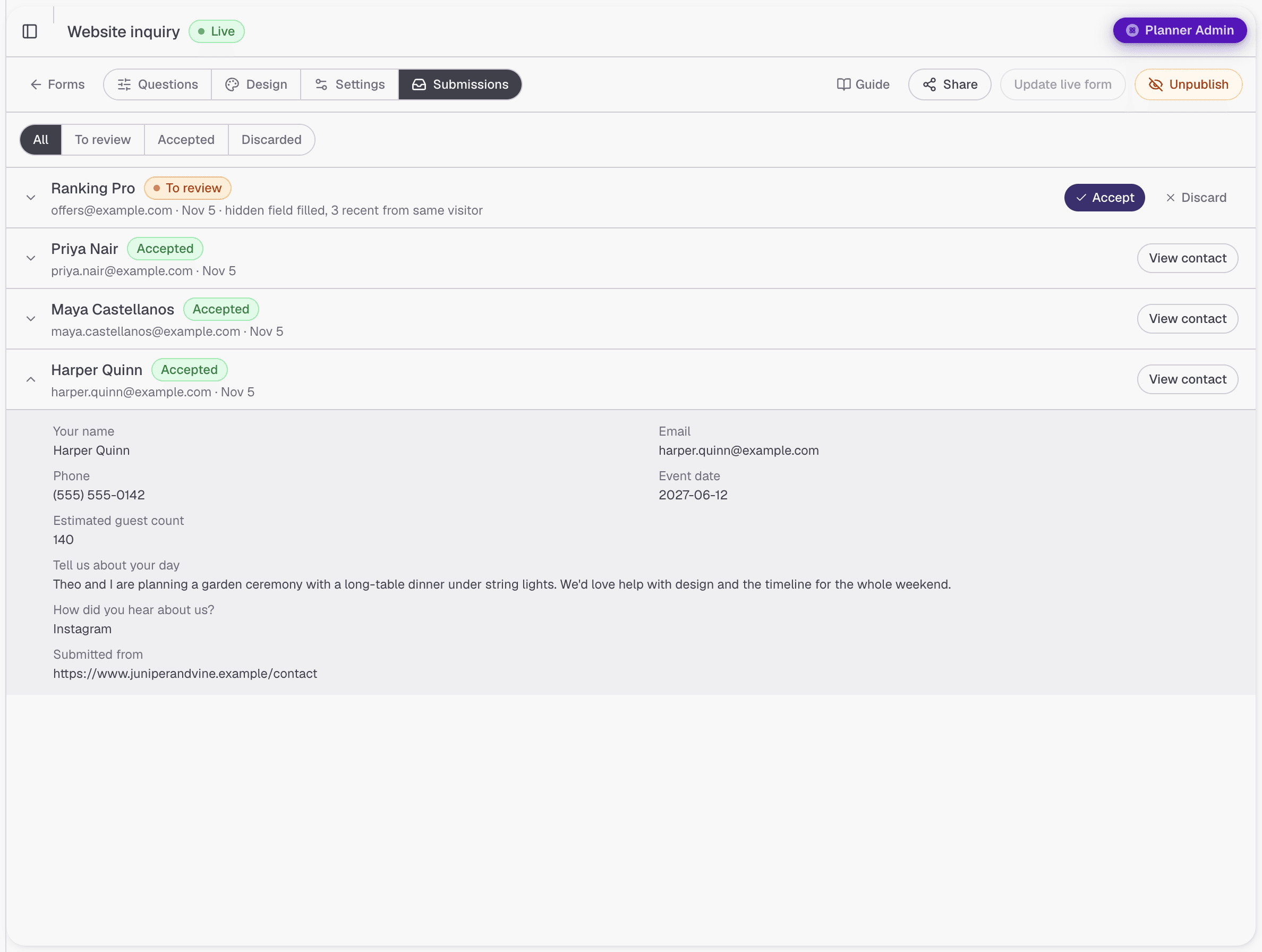
To see everything a form has received, open the form and click the Submissions tab.
- Click All, To review, Accepted, or Discarded at the top to see only those submissions.
- Each submission shows the couple's name and email, the day it was sent, and whether it's Accepted, To review, or Discarded.
- Click a submission to read every answer, including answers that weren't saved to the contact. Submitted from shows the website it was sent from.
- Click View contact on an accepted submission to open the contact it created.
Submissions held for review
If a submission looks like it was sent by a computer program rather than a couple, Folia holds it instead of adding a contact. The couple still sees your thank-you message, so a real couple is never turned away, and you get an email so a real inquiry doesn't sit unnoticed.
Your forms page shows how many submissions are waiting: an orange label like 2 to review on the form's card. Click it to go straight to them.
To review a held submission:
- Open the form's Submissions tab and click To review.
- Click the submission to read it.
- Click Accept to add the couple as a contact, or Discard if it's spam.
When you accept a submission, Folia adds the contact and shows Contact created, with a button to view it. A discarded submission doesn't become a contact, and it stays under Discarded in case you want to read it later.
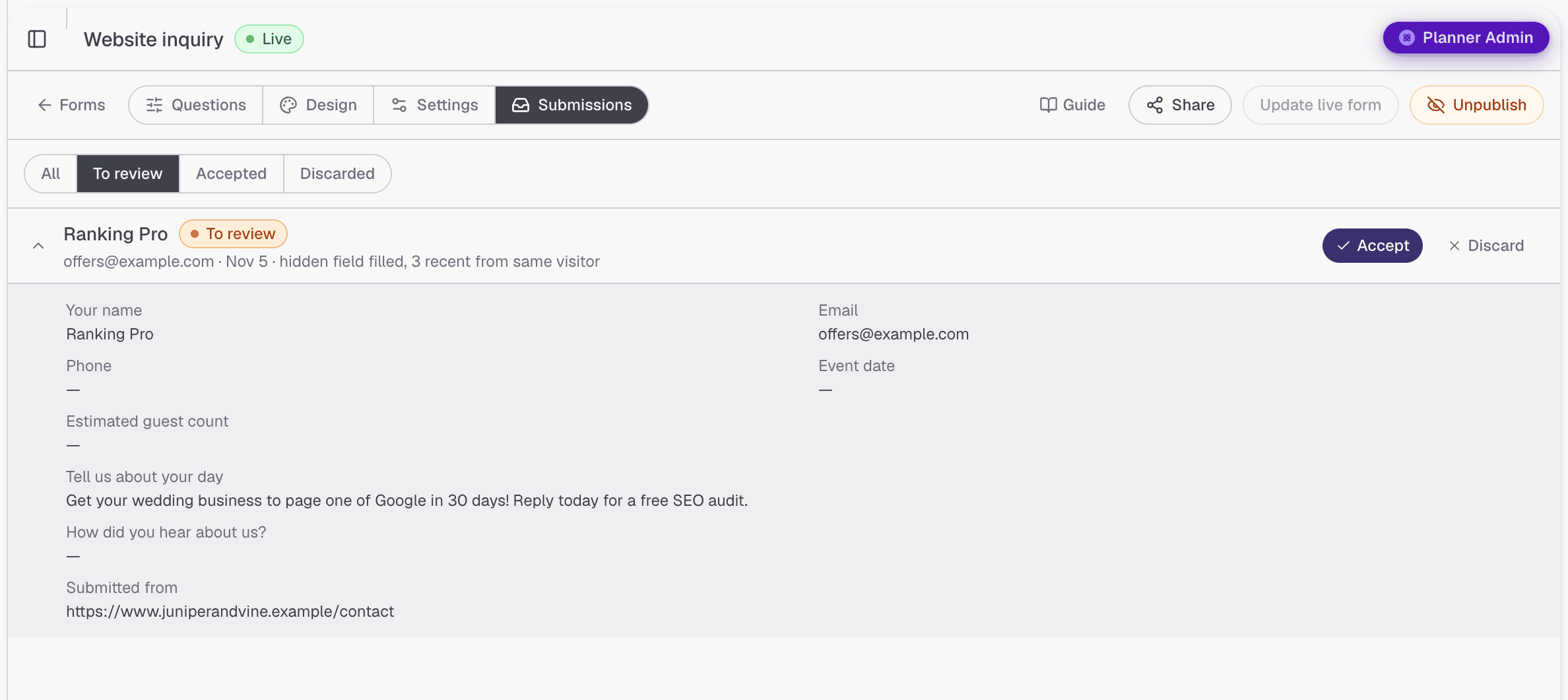
Under each held submission's name, Folia says why it was held:
| Reason | What it means |
|---|---|
| hidden field filled | A box that people can't see was filled in. Spam programs fill in every box they find. |
| failed bot check | The automatic check that runs when the form is sent didn't pass. |
| no bot check | The automatic check didn't run. An ad blocker or a strict browser setting can stop it, so this one is often a real couple. |
| 3 recent from same visitor | The same visitor sent the form several times in a few minutes. |
| saved by fallback | Folia couldn't add the contact automatically, so it saved the submission for you instead of losing it. |
Inquiries from your directory profile
Inquiries couples send through your Folia directory profile work the same way. When one is held, you'll also see a note at the top of Contacts, such as "1 inquiry from your Folia profile is waiting for your review."
- Click Review to open Inquiries to review.
- For each inquiry, click Add to contacts or Discard.
- If you discard one by mistake, click Undo to put it back for review.
You can also review them on the Submissions tab of the form with the Directory profile badge. Wherever you review an inquiry, it's done everywhere.
From inquiry to booked wedding
When a couple books you, open their contact and click Create wedding. Their names, email, phone, wedding date, guest count, and budget are filled in for you. If you've already added their wedding, click Link existing wedding instead.
Managing Client Weddings covers what to do next.
Worth knowing
- Each submission is a new contact. If the same couple sends your form twice, they appear in Contacts twice.
- Your submissions stay. Unpublishing or archiving a form keeps everything it received, and the contacts it brought in.
- Answers that aren't on the contact are kept with the submission. Open the form's Submissions tab to read them.
Next steps
Add a Form to Your Website
Link to your inquiry form from your website, or show it right on a page, with steps for Squarespace, Wix, Showit, WordPress, and Webflow.
Troubleshooting
What each message before publishing means and how to fix it, plus help when a form won't show, is cut off, or isn't bringing in contacts.