


Managing Client Weddings
Create new client weddings, switch between them, and manage your full client roster in Folia.
As a planner, each client gets their own wedding workspace in Folia. You can have as many weddings as your plan allows and switch between them instantly from the sidebar.
Creating a New Client Wedding
- Click the wedding name at the top of the sidebar to open the wedding switcher.
- Click + New Wedding.
- Enter the couple's names, wedding date, and venue location.
- Click Create Wedding.
The new wedding is immediately selected and you're taken to its dashboard.
Archiving a Wedding
Once a wedding is complete, you can archive it to keep your active list clean.
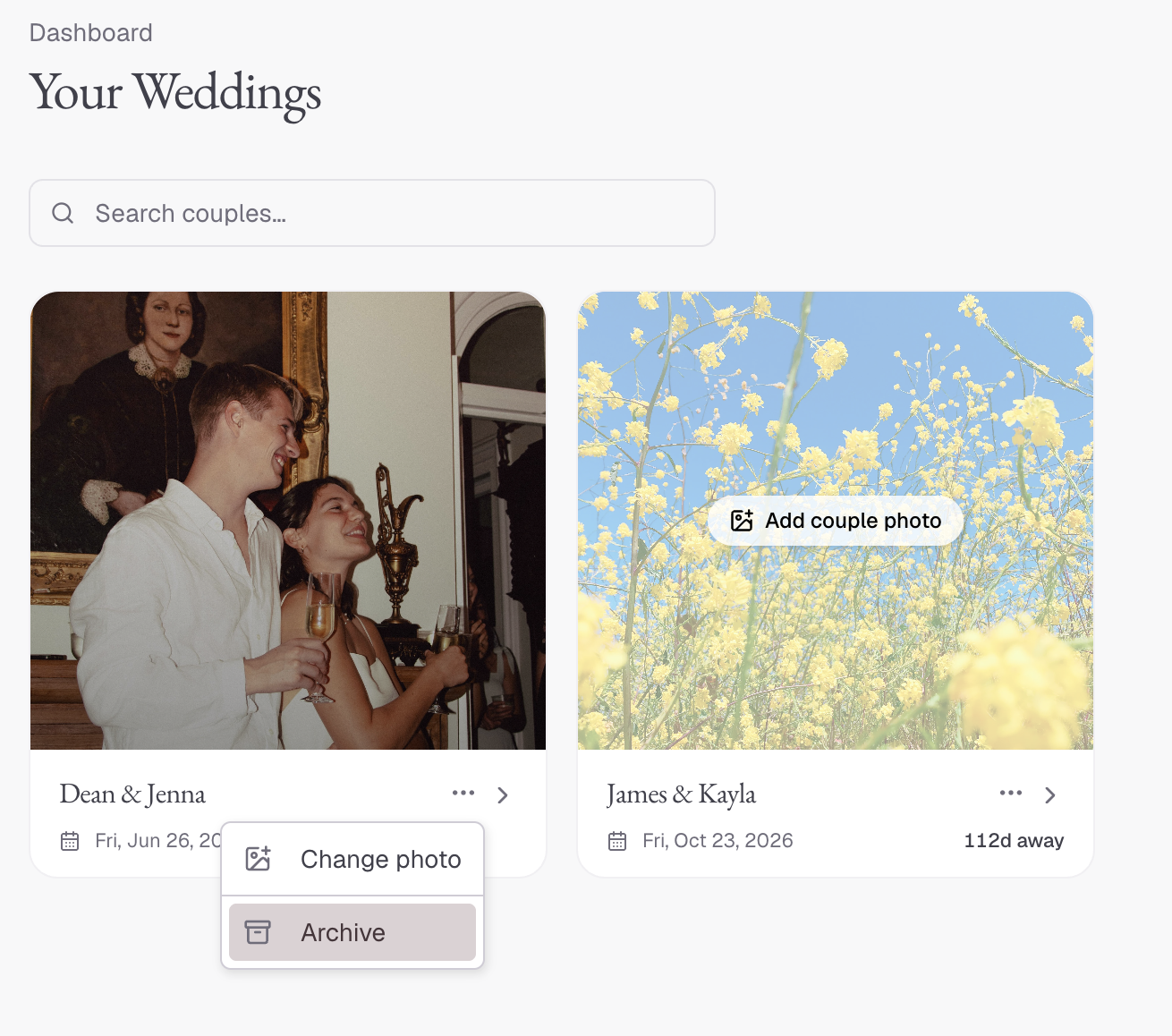
- From your planner dashboard, find the wedding card.
- Click the menu (⋯) on the card.
- Select Archive.
Archived weddings are hidden from your active switcher but their data is fully preserved. You can unarchive them at any time.