
Wedding Venue Management Software for Every Wedding You Host
A CRM for every inquiry, plus floor plans, seating charts, timelines, and a shared workspace for every wedding in your room.
Track each inquiry to booked, then build the wedding on your venue's floor plan. Give couples and their planners a clear place to plan, and keep your team working from the same details.
Prefer to see it first? Book a walkthrough any time.
Built for Every Wedding, From First Inquiry to Breakdown
- 01
Every inquiry in one pipeline
- 02
Floor plans built around your room
- 03
Guest lists connected to seating
- 04
Timelines from load-in to breakdown
- 05
Unlimited team members
- 06
Couples and planners work free through your subscription
From the First Inquiry to Breakdown, in One Place
A venue wedding starts as an inquiry in your inbox and ends with a setup crew placing tables and a kitchen plating meals. Every step in between runs on the same details.
Those details often end up in a spreadsheet of leads, hand-drawn layouts, revised guest lists, and email threads that look different every time. Wedding venue software should do more than store an event. It should help your team win the booking and run the room.
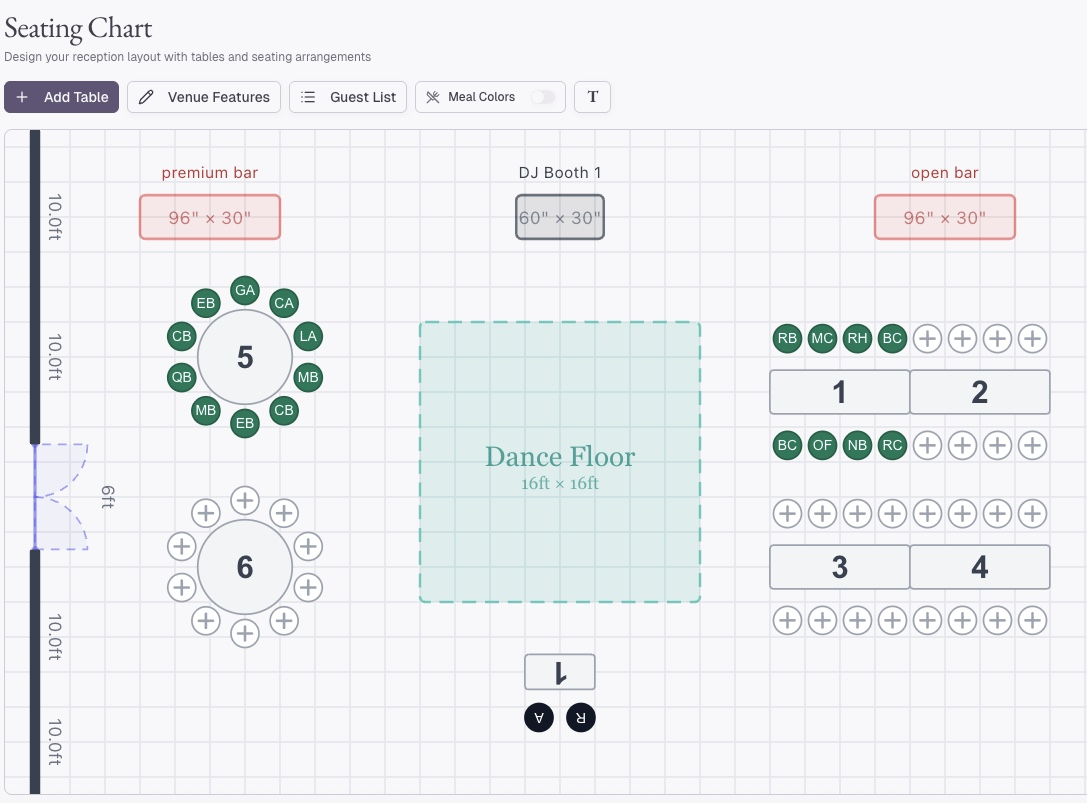
Hand-Drawn Layouts
Now on your floor plan
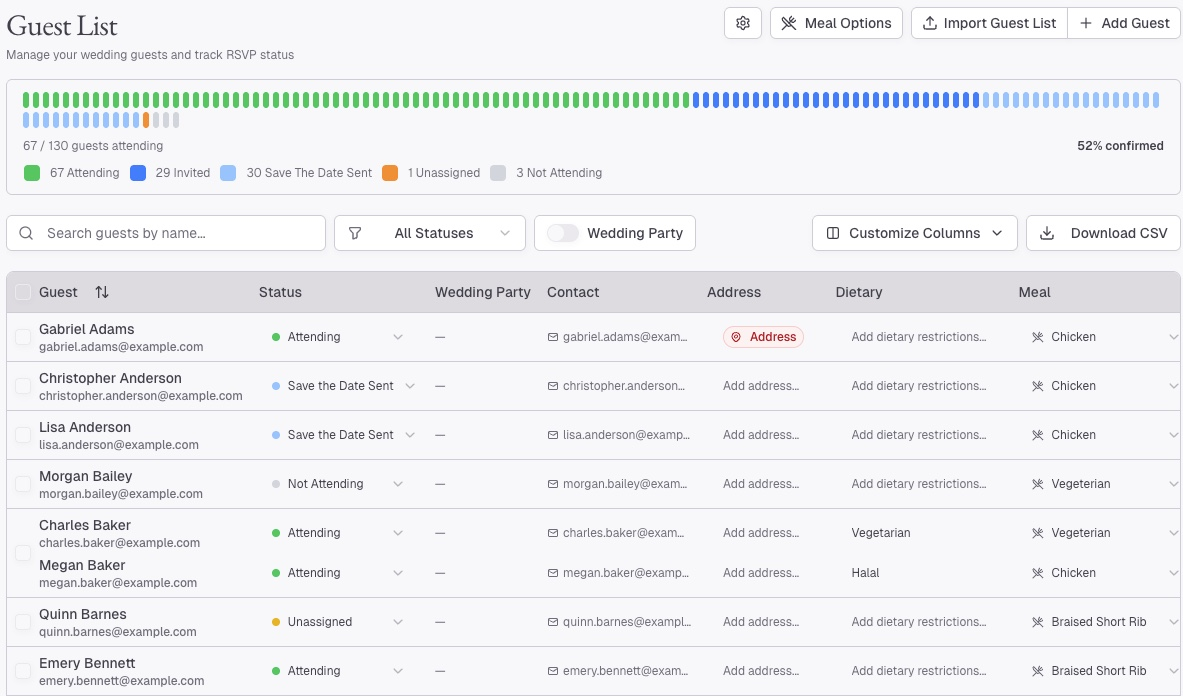
Revised Spreadsheets
Now one guest list
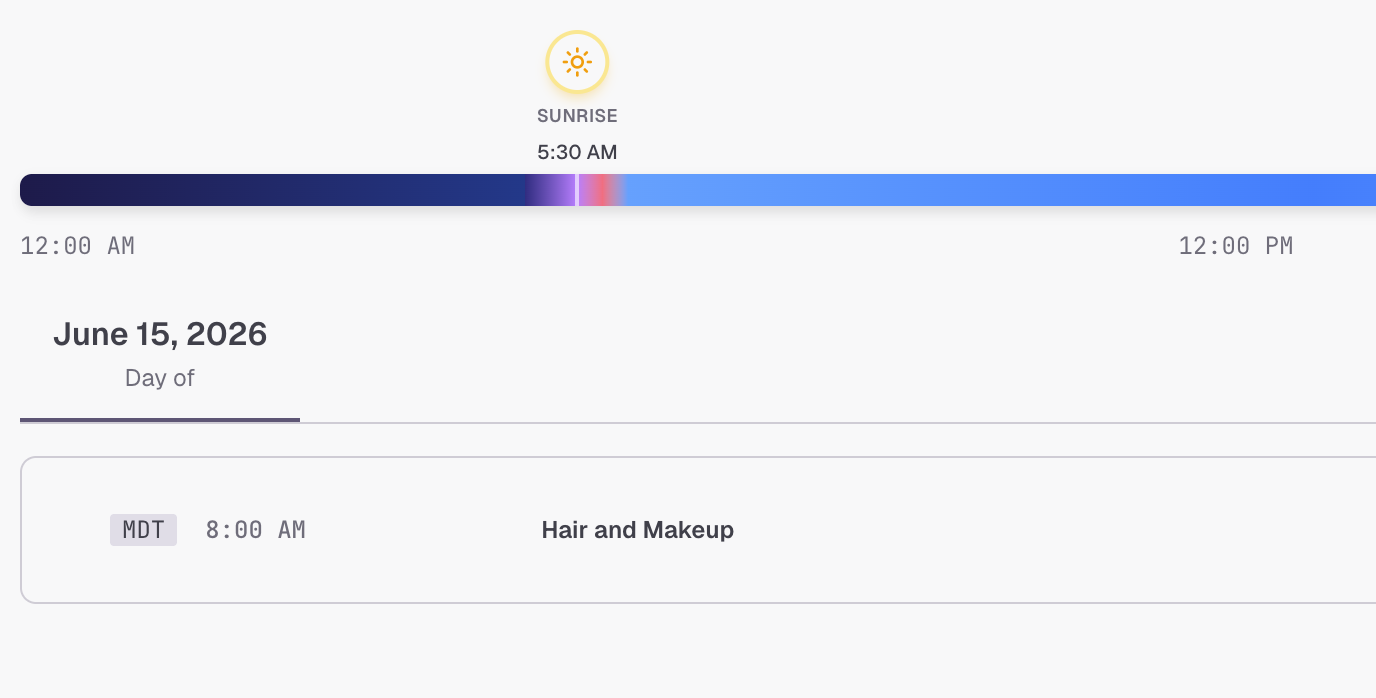
Email Threads
Now one run of show
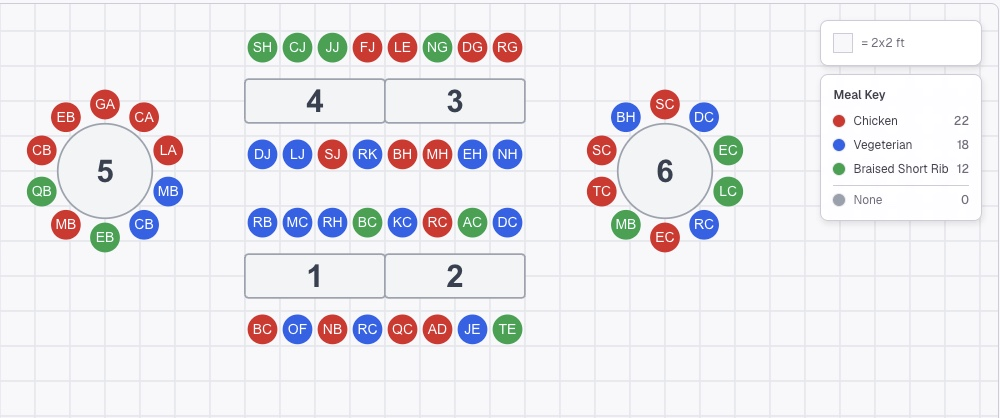
Meal Counts
Now at every seat
Folia starts with the first inquiry. Move the lead through your pipeline, create the wedding from the contact when they book, build it on your floor plan, and keep the details connected through the day.
Win the Booking and Run the Wedding in One System
Folia's CRM tracks every inquiry from your website or Instagram form to booked, with packages, budgets, lead owners, and logged calls and emails on each lead. When a couple books, create their wedding from the contact, and everything they already told you comes with it.
- Inquiry forms
- Sales pipeline
- Packages & budgets
- Logged calls & emails
- Create the wedding from the lead
Getting started
Up and Running in Three Steps
Upload Your Floor Plan
Calibrate it to a measurement you know and mark fixed features such as walls, doors, bars, stages, and dance floors.
Bring In Your Inquiries
Put your inquiry form on your website or Instagram, and each inquiry lands in your CRM. Weddings already on your books start with names and a date.
Invite the Couple and Their Planner
They plan inside your room, in your format, with the access rules you choose.
Your Room, Drawn Once. Built for Every Layout.
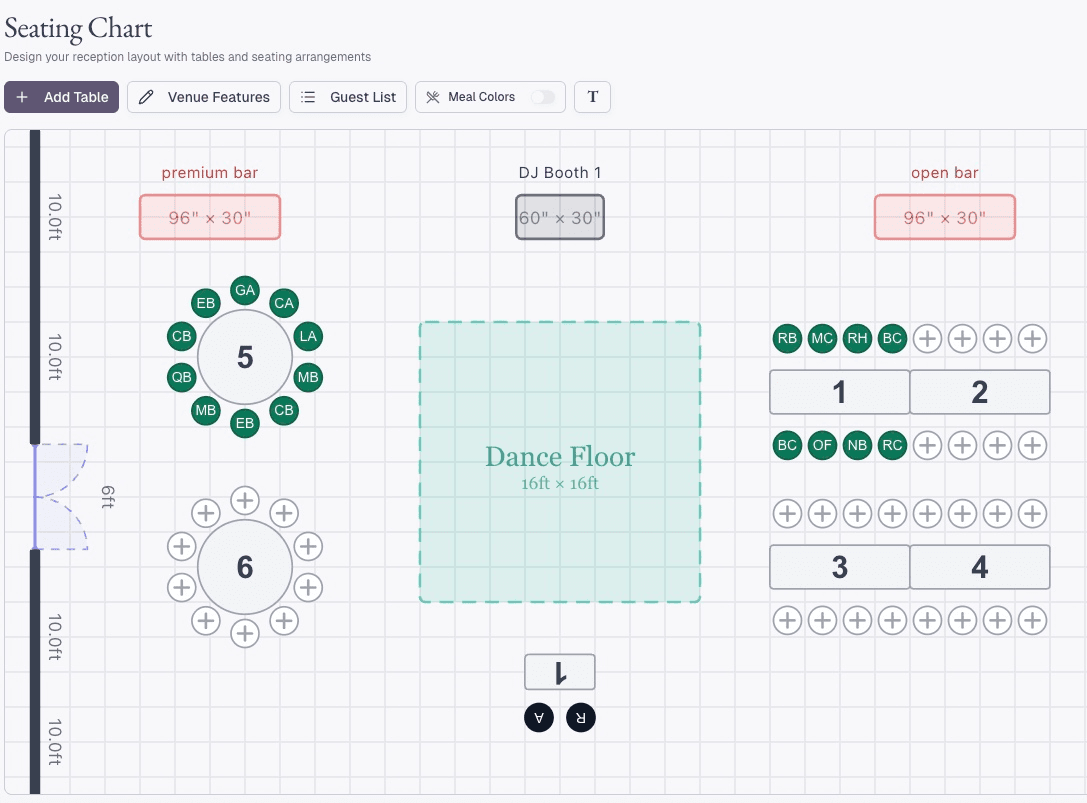
Upload the venue floor plan and place tables on a room that reflects the space your team knows. Mark the doorway, bar, dance floor, stage, restrooms, and other fixed features.
Seating Charts on Your Actual Floor Plan
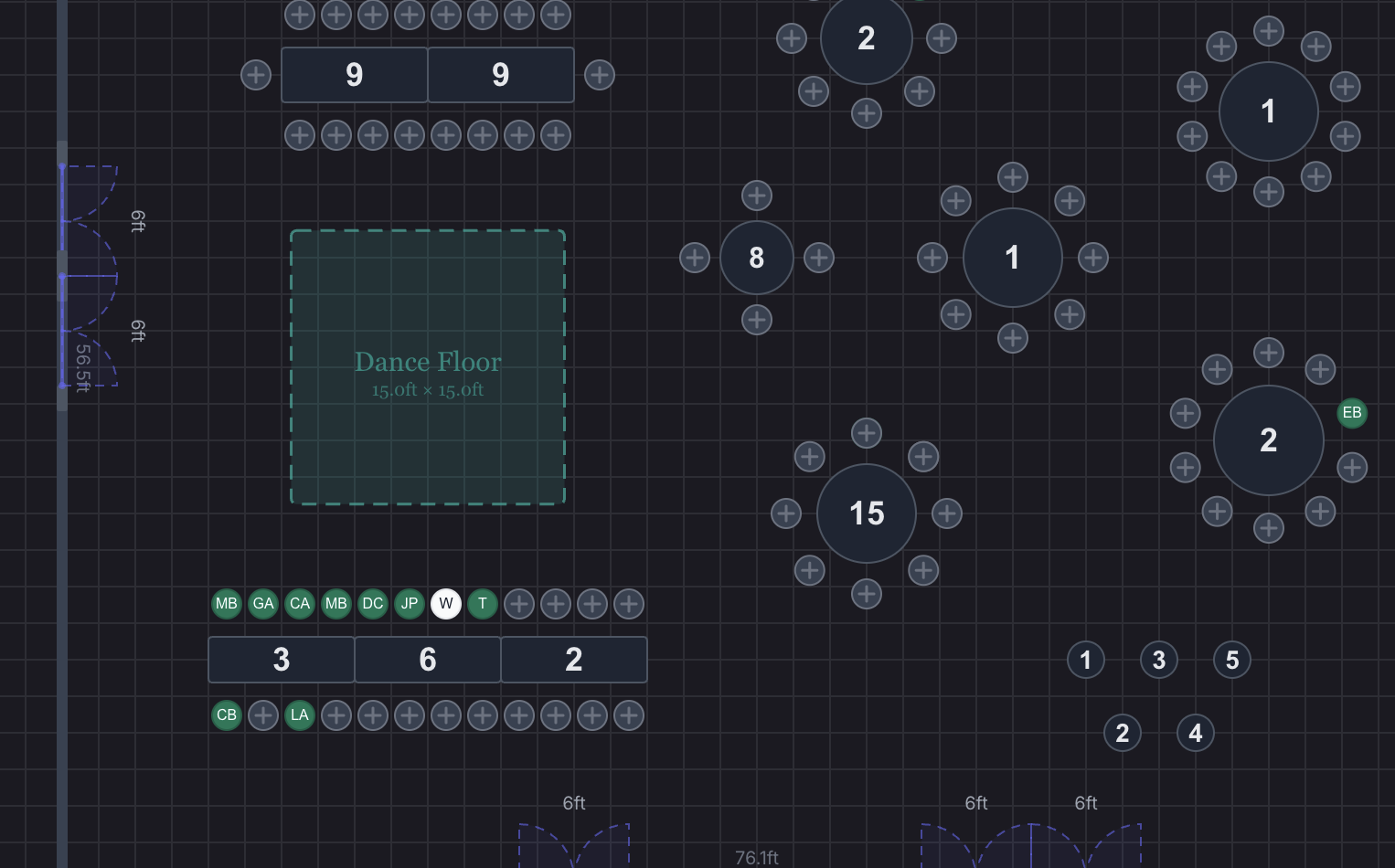
Upload your floor plan, calibrate it to a known measurement, and mark the walls, doorways, and dance floor. Then place rounds, squares, rectangles, feasting, serpentine, king, sweetheart, and cocktail tables, set seat counts, and rotate each table to fit the room.
- Calibrated to scale
- Every common table shape
- Seat counts & rotation
- Branded PDF export
One Wedding. Every Configuration Your Team Needs.
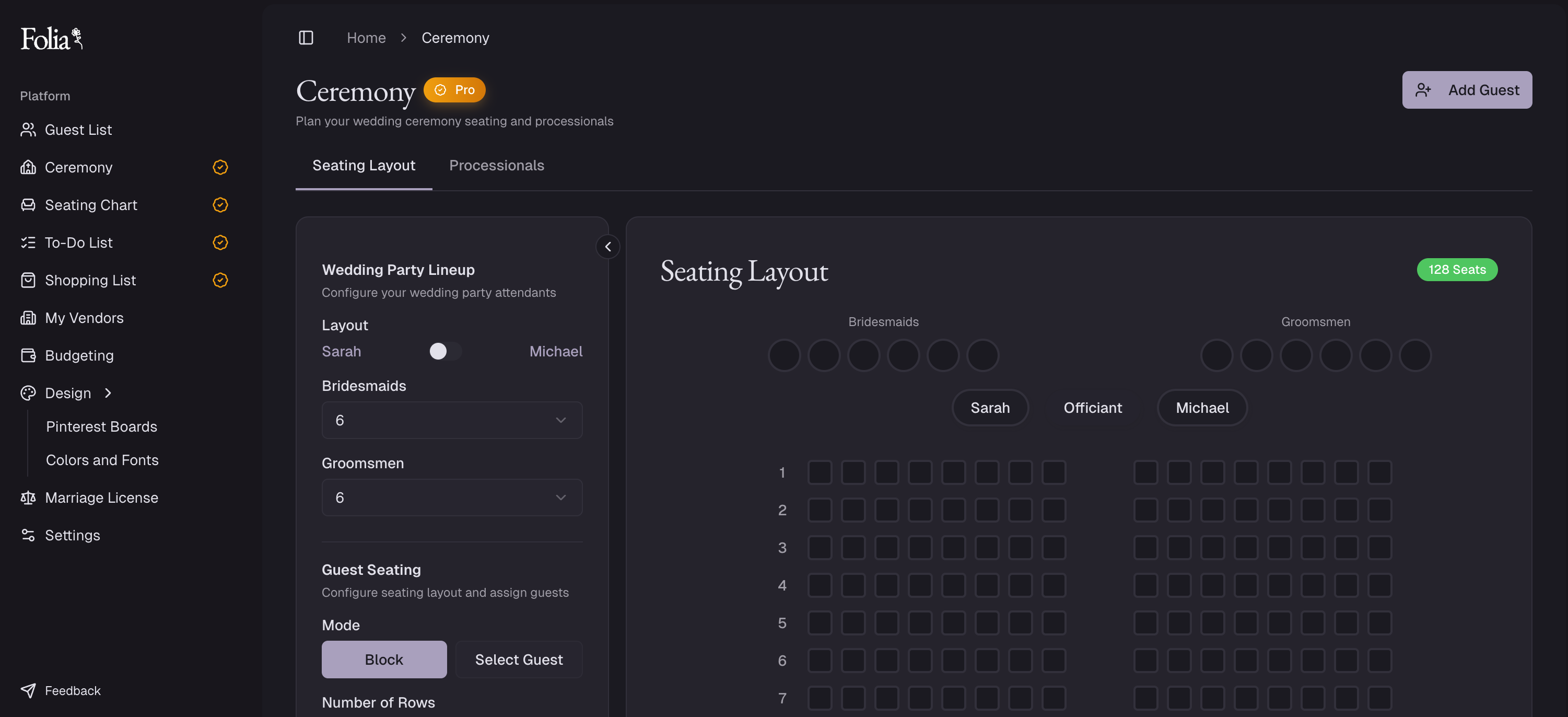
Ceremony rows, cocktail hour, the reception flip, and a second room can all live inside the same wedding. Each seating chart has its own layout and floor plan, every configuration shares one guest list, and your setup crew gets a plan for each one.
- Ceremony
- Cocktail hour
- Reception
- Second room
Meal Counts Your Kitchen Can Work From
Meal choices appear at every seat, with running totals as guests are seated. When a guest switches from chicken to vegetarian, the seat, the totals, and the export stay in step, so your team works table by table instead of cross-referencing an alphabetical list.
- Meals at every seat
- Live meal totals
- Dietary notes
- Table-by-table export
Load-In to Breakdown, in One Run of Show
Build the wedding-day timeline with vendors, locations, notes, and sunrise and sunset markers, and mark unconfirmed times as TBD. Your events manager sees the full day, and each vendor can get a branded call sheet with just the moments they own.
- Vendor & location tags
- TBD times
- Sunrise & sunset
- Per-vendor call sheets
The client workspace
The Couple, Their Planner, and Your Team in One Wedding
Invite the couple, their planner, or both into the wedding. Set each person to edit or view, then choose which parts they can change.
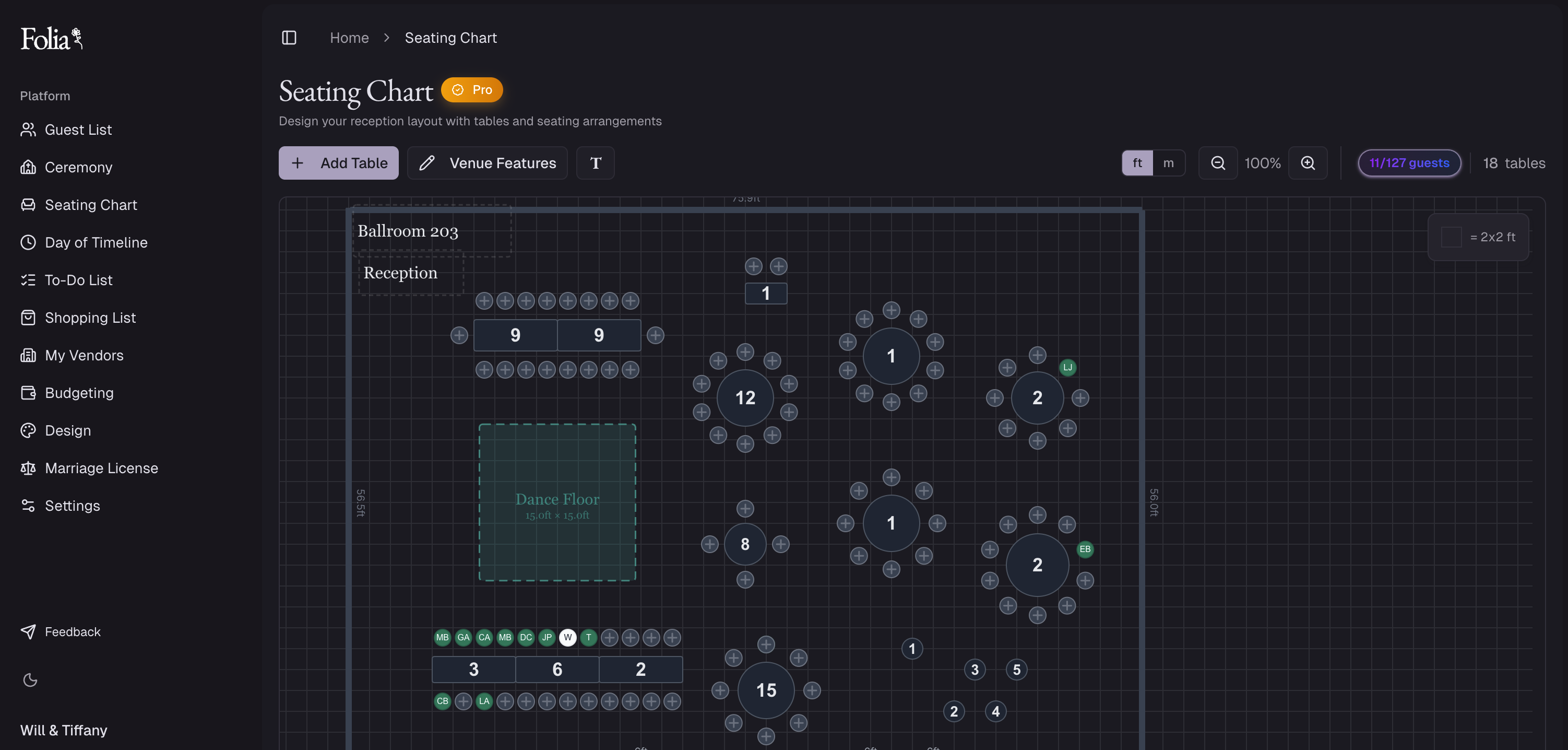
Every booked wedding, built on your floor plans.
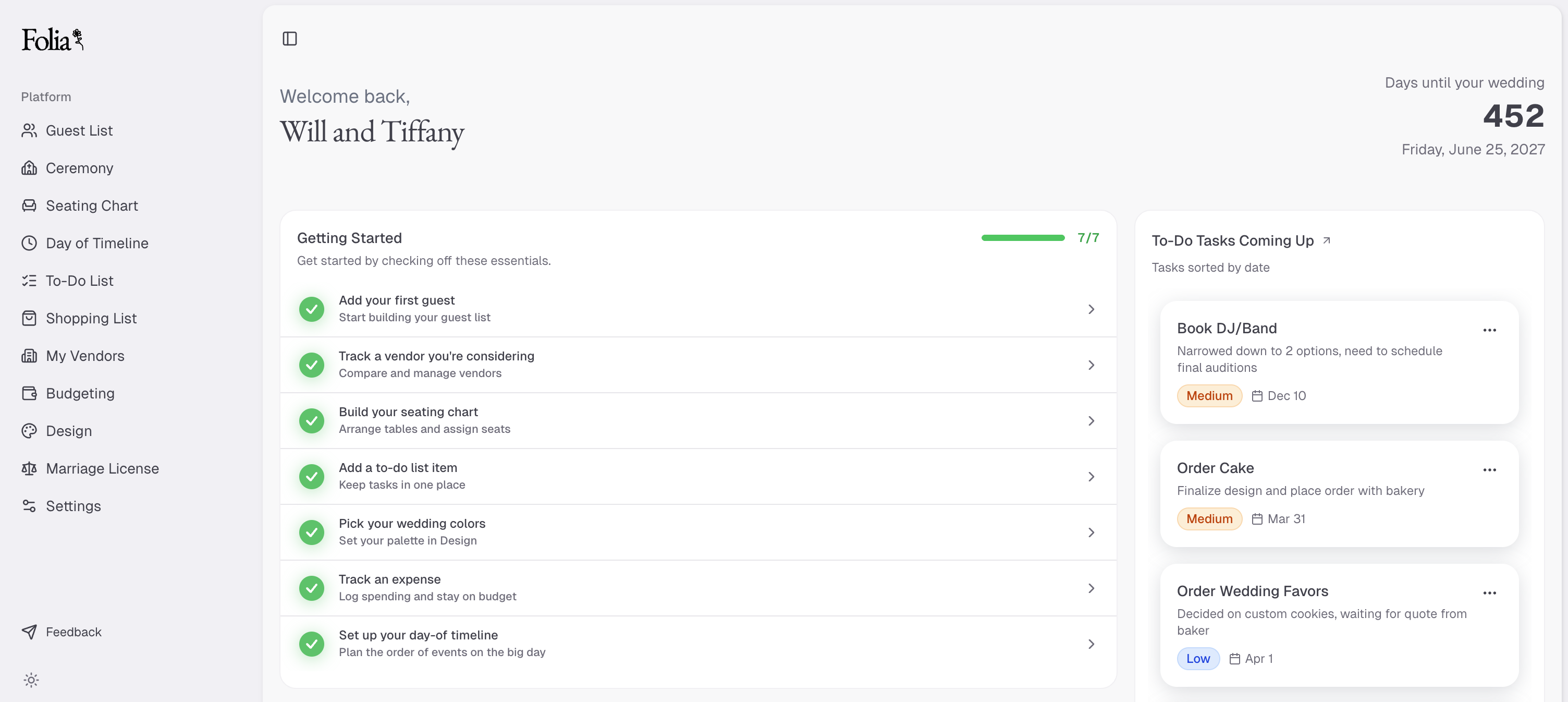
Their wedding, in your room and your format.
Every booked wedding, built on your floor plans.
Their wedding, in your room and your format.
Hover to explore both views
Planning inside your room
They can plan on your floor plan, in your format, inside your room's constraints. Your team keeps control of venue-only details, while the couple and planner get a clear place to work together.
Your venue's name and logo
Every client-facing workspace can carry your venue's name and logo.
No extra plans to buy
Your subscription covers the couples and planners you invite, so they do not need separate Folia plans.
A planner who runs their own business in another tool can still join your Folia workspace for the room, seating, and wedding-day plan.
Every week
The Tools Your Venue Team Uses Every Week
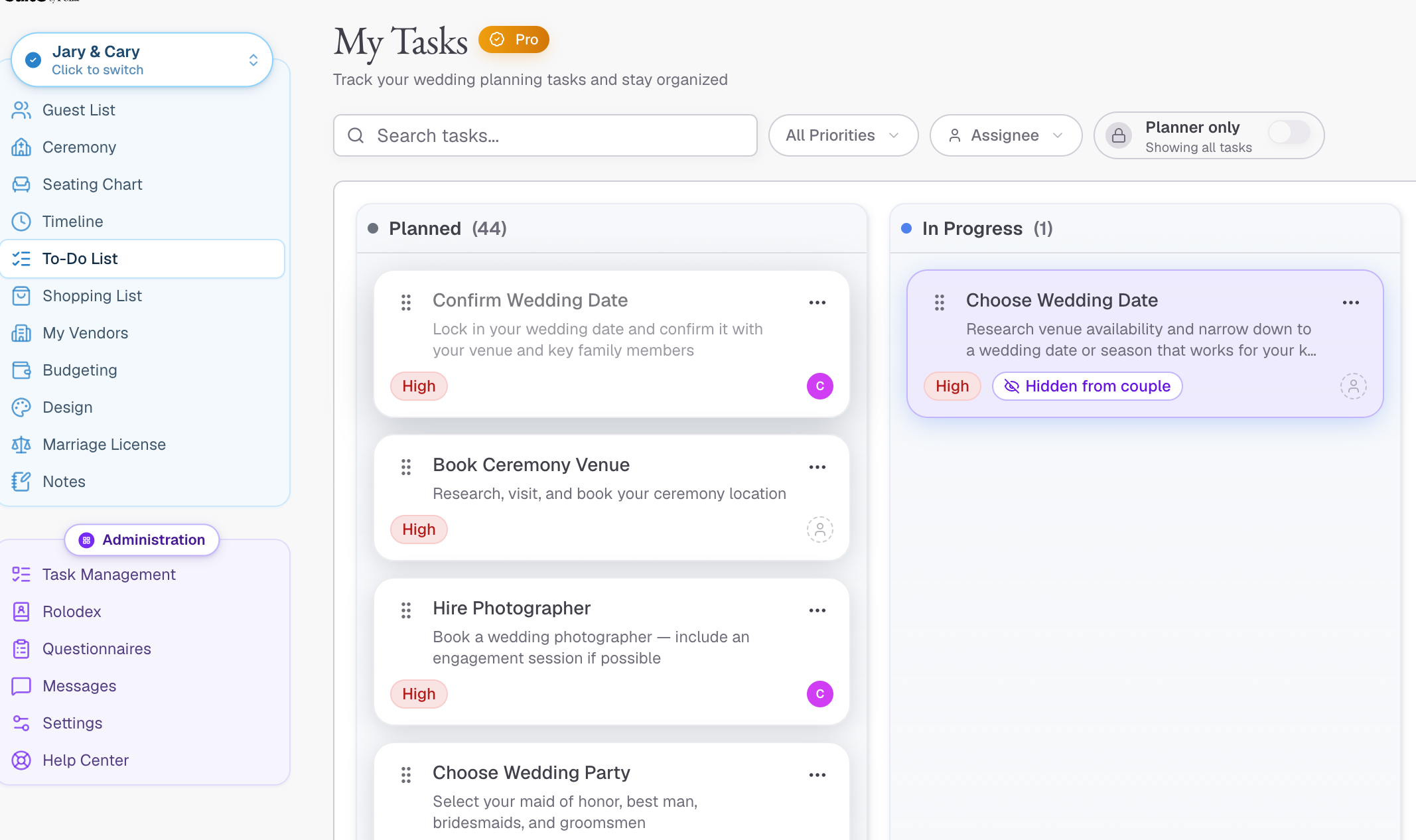
Build the Same Run-Up Once, Then Use It Again
Save your process as a checklist package, from final numbers to floor-plan lock and staffing, and assign each task to the person doing it. Due dates count back from each wedding date, so the same workflow lands correctly in May or October, and venue-only tasks stay out of the couple's view.
- Checklist packages
- Due dates from the wedding date
- Assigned to your team
- Private venue tasks
From wedding professionals
Built for Wedding Teams That Need One Source of Truth
Wedding professionals use Folia to bring guest information, seating, timelines, vendors, and client collaboration into one workspace.

Cailee Bryant
Lee & Co Events
Having one source for all information has made weddings manageable without adding administrative work.

Cailee Bryant
Lee & Co Events
Having one source for all information has made weddings manageable without adding administrative work.
Pricing
Pricing That Scales With Your Calendar
Every venue plan includes unlimited team members. Couples and planners you invite work in Folia at no extra per-person charge. Choose the plan that matches the number of active weddings you have in planning.
14-day free trial on all plans. No charge until your trial ends.
Up to 20 active weddings
Best for single-space or smaller venues.
Billed monthly
14-day free trial
CRM & inquiry forms
Inquiry forms, a pipeline board, and packages on every lead.
Venue floor plans & seating charts
Every layout on your room, with meals at every seat.
Timelines, checklists & client workspace
Run of show, call sheets, and one place to plan with couples.
Email support
Get help from our team via email whenever you need it.
Up to 50 active weddings
Best for venues hosting up to about 50 weddings per year.
Billed monthly
14-day free trial
Everything in Boutique
The CRM, floor plans, seating, timelines, checklists, and collaboration.
Priority email & chat support
Dedicated chat support plus priority email response times.
Unlimited active weddings
Best for larger or multi-space venues.
Billed monthly
14-day free trial
Everything in Growth
Every feature, every tool, no limits.
Dedicated account manager
A named point of contact for onboarding, questions, and ongoing support.
All plans include a 14-day free trial. Cancel anytime before your trial ends and you won't be charged.
Running more than one venue? Contact Folia about multi-venue pricing.
Planner? See planner pricing.
FAQ
Wedding Venue Software Questions
Ready to start? Start a free trial and add your first wedding. Prefer to see it first? Book a walkthrough and we'll show you how Folia runs a wedding from the first inquiry to breakdown.
Stop Redrawing Your Own Room
Use one floor plan, every layout your room can take, and a clear plan for everyone working the wedding day.
See how Folia runs each wedding, from the first inquiry to breakdown.
